flowchart LR
    subgraph Client
        direction LR
        A[Import Images]-->B[Quality Check]
        B -.-> GCP["(Optional) GCP"]
    end
    subgraph SfM
     direction TB
        GCP --> C[Feature Detection & Matching]
        B --> C[Feature Detection & Matching]
        C --> D[Bundle Adjustment]
        D --> E[Dense Point Cloud]
    end
    subgraph Processing
     direction BT
        E --> F[DSM/DTM Generation]
        F --> G[Orthomosaic]
        G --> H[Export Outputs]
    end
Intro to OpenDroneMap
Center for Geospatial Analytics at North Carolina State University
Corey T. White
Overview
- Why OpenDroneMap?
- ODM architecture and pipeline
- WebODM interface
- Comparison with Agisoft Metashape
- ODM + GRASS integration
Why OpenDroneMap?
- Open-source photogrammetry ecosystem
- Replaces commercial tools (Agisoft, Pix4D) in many workflows
- Ideal for teaching, research, reproducibility
- Actively maintained
- Community-driven (UAV4GEO, Public Lab, HOTOSM)
The Open-Source Photogrammetry Landscape
Commercial
- Agisoft Metashape
- Pix4D
- Correlator3D
Open-Source
- OpenDroneMap (ODM)
- WebODM
- NodeODM
- MicMac
What is OpenDroneMap?
ODM Ecosystem
- ODM is a command-line photogrammetry processing engine (OpenDroneMap Authors 2020).
- NodeODM is a REST API to access ODM.
- WebODM is a Web/GUI interface for ODM.
- CloudODM is a command line client to work with ODM with NodeODM.
- PyODM is a Python SDK for scripting with ODM.
- ClusterODM is a NodeODM API compatible reverse proxy, load balancer and task tracker for easy horizontal scaling.
- NodeMICMAC is a Node.js App and REST API to access MicMac.
- FIELDimage - is a Tool to Analyze Images From Agricultural Field Trials and Lab in R (Matias et al. (2020), Pawar and Matias (2023)).
- Find-GCP - Find ArUco markers in digital photos (Siki and Takács (2021)).
ODM Architecture
- ODM Command-line engine (OpenDroneMap Authors (2020))
- Built from modular components:
- OpenSfM – SfM + Bundle Adjustment
- openMVS – Dense reconstruction
- MicMac – (Optional) photogrammetry processing engine
- PDAL – Point cloud processing (PDAL Contributors (2025))
- Entwine – Point cloud data organization library
- GDAL – Raster operations
- PoissonRecon – 3D mesh
- MSV Texturing – Mesh Texturing
- GRASS – geospatial compuational engine (GRASS Development Team et al. (2025))
- OpenSfM – SfM + Bundle Adjustment
Platform and Hardware Requirements
Platforms
Through Docker ODM, NodeODM, and WebODM run on:
- Windows
- MacOS
- Linux
Note
Docker is an open platform for developing, shipping, and running applications. For more information visit What is Docker?.
Recommendations from (Toffanin (2023))
Hardware Requirements
Minimum requirements
- 64 bit CPU (manufactured post-2010)
- 20 GB of disk space
- 4 GB of RAM
Can process no more than 100-200 images.
Recommended requirements
- Latest generation CPU
- 100 GB disk space
- 16 GB RAM
Note
NVIDIA GPU can be used to speed up processing.
Recommendations from (Toffanin 2023)
ODM Capabilities
- Feature detection (SIFT-like)
- Bundle adjustment
- Dense cloud generation
- DSM & DTM creation
- Orthomosaic generation
- Meshing & texturing
- Ground/non-ground classification
- QC & reports
- GCP support
ODM Processing Workflow
WebODM

WebODM Overview
- Browser-based interface to ODM
- Easy installation via Docker
- Project-based workflow
- Supports GCP import
- Built-in 2D and 3D viewers
- Plugin ecosystem (Contours, Volume, Reports)
Basic WebODM Workflow
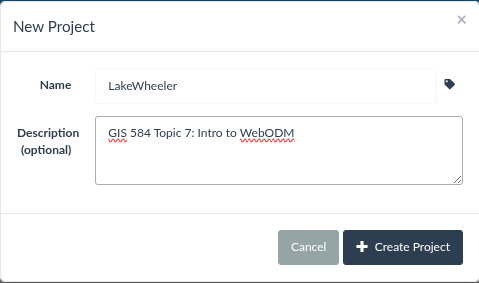
- Create project
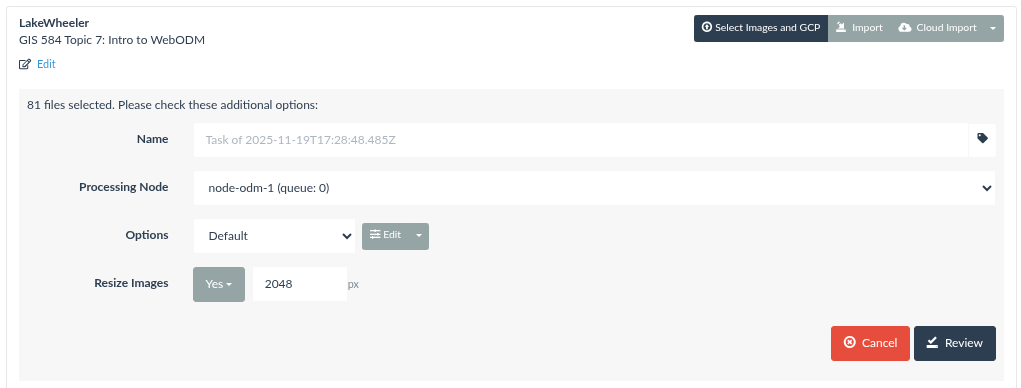
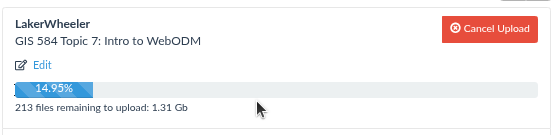
- Upload images
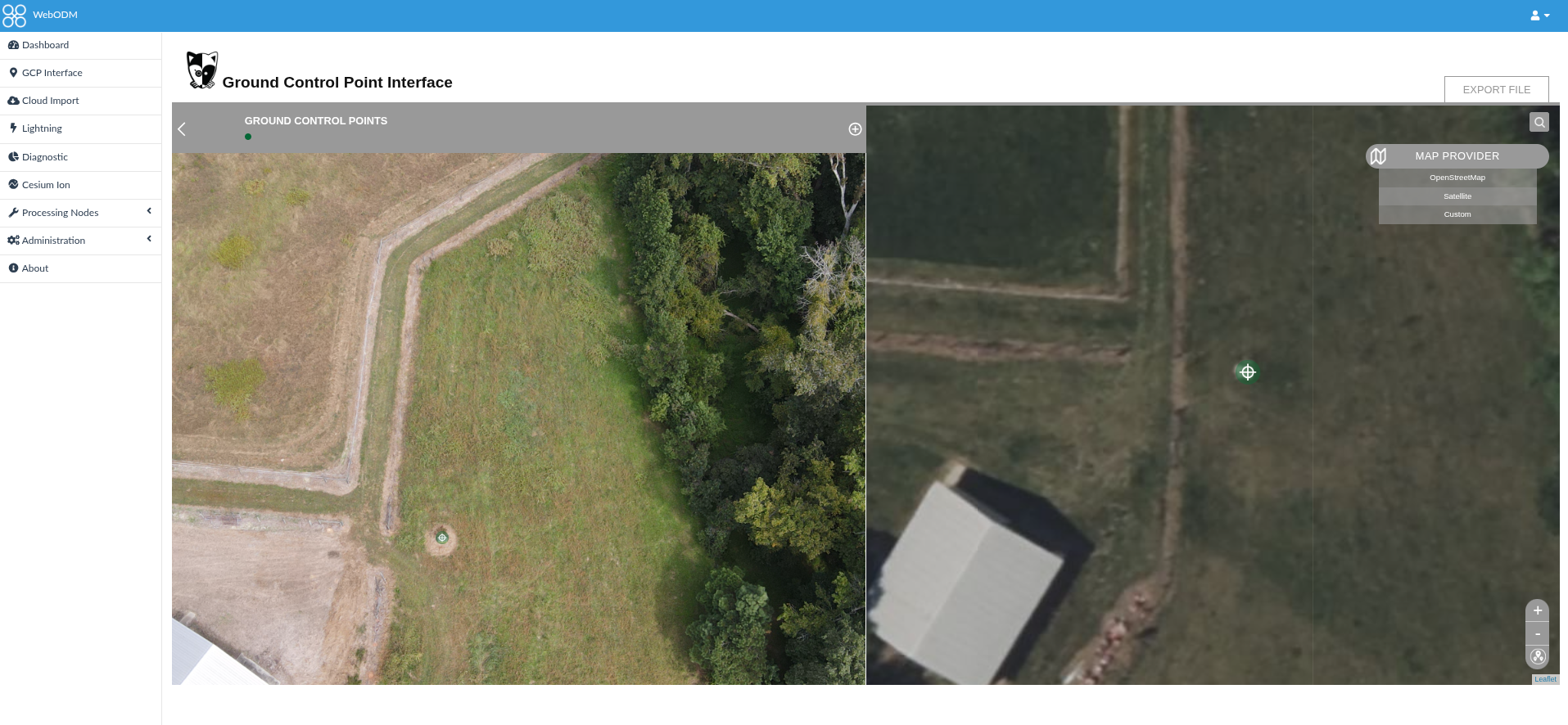
- (Optional) Upload GCP file
- Run processing
- Inspect outputs
- Export and analyze in GRASS
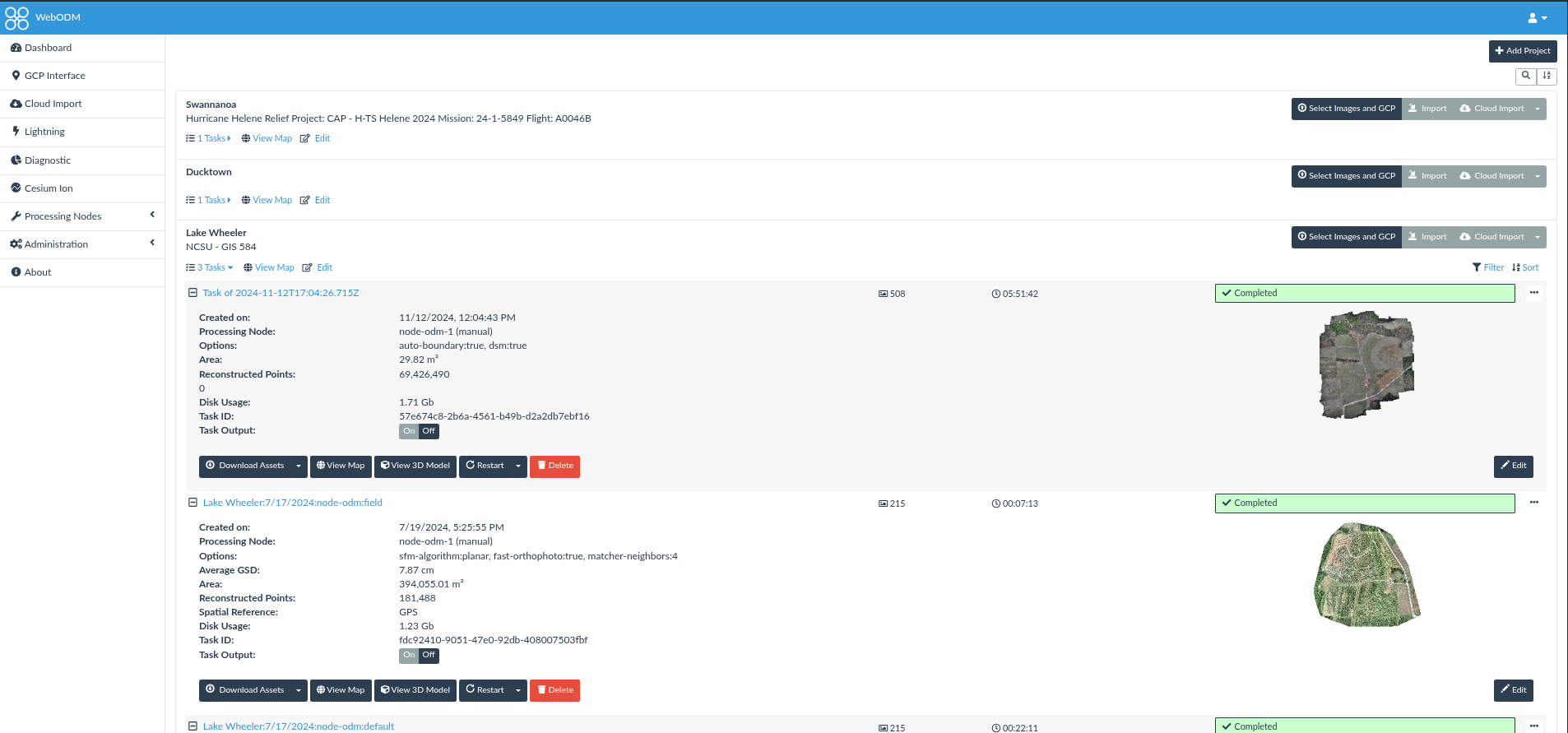
WebODM Dashboard
WebODM - New Project
Upload Images
(Optional) Create GCP file
Run Process
Inspect outputs 2D
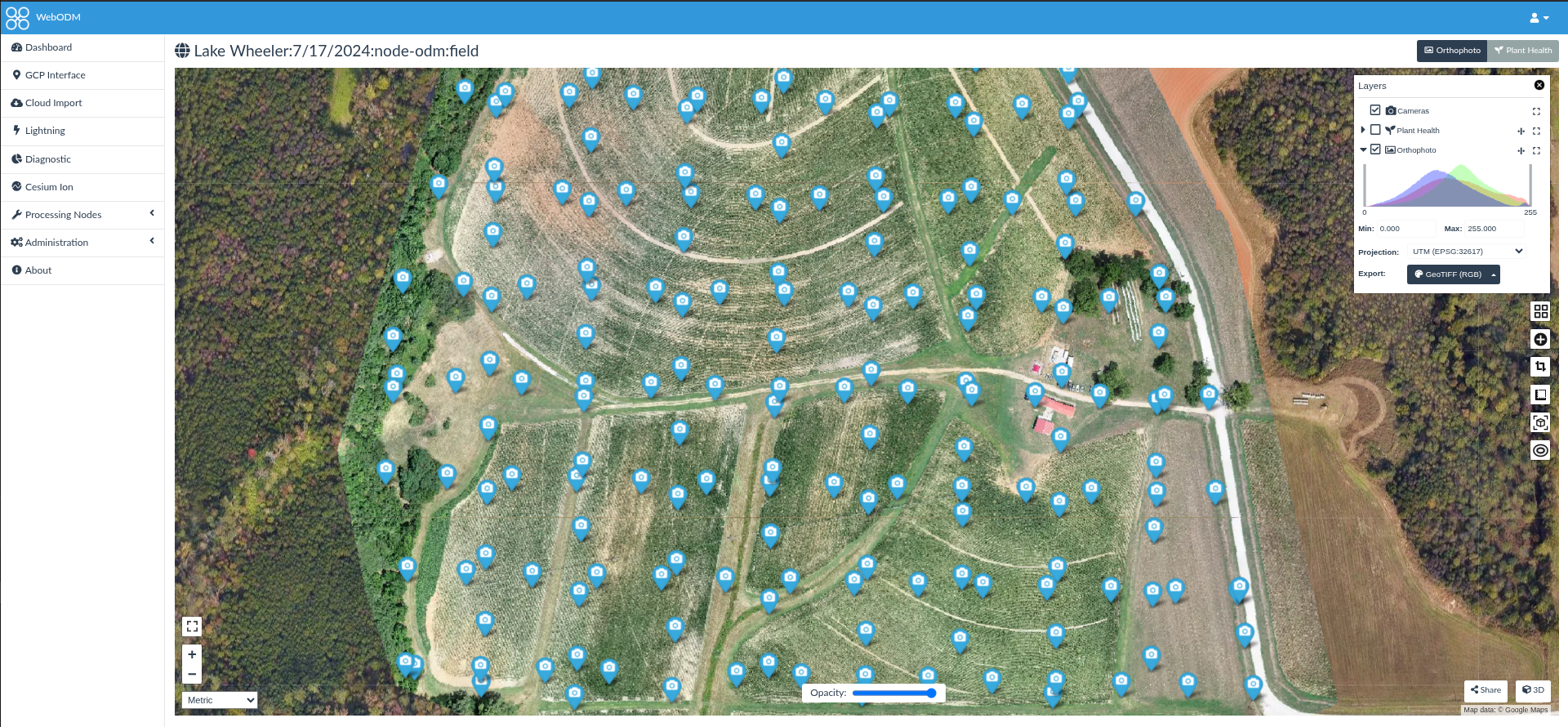
Map View
Inspect outputs 3D
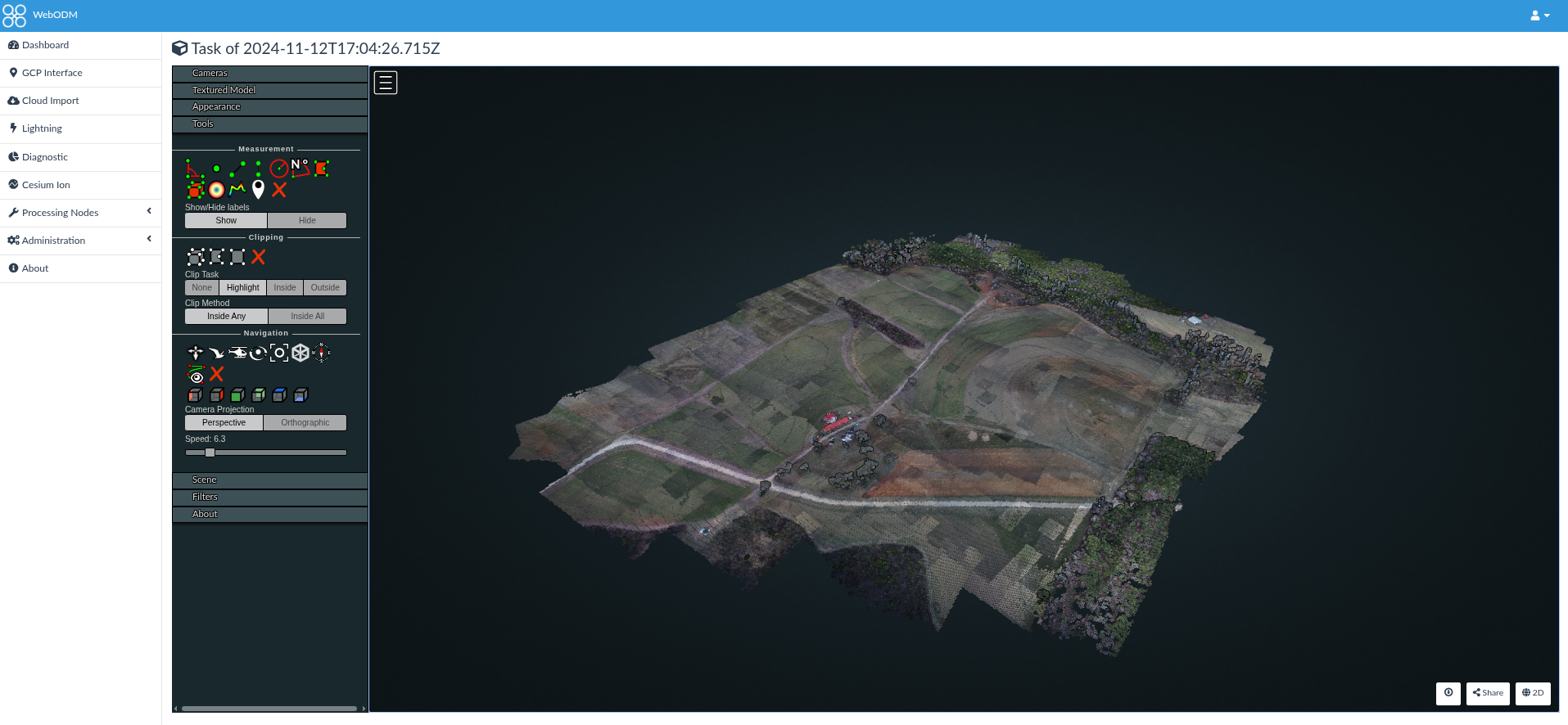
Potree Viewer
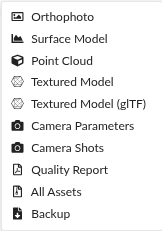
Export Assets
ODM vs Agisoft Metashape
Strengths of ODM
- 100% open-source
- Transparent algorithms
- Strong reproducibility
- Easy scripting/automation
- Works well with GRASS/QGIS
- Excellent orthomosaics for natural scenes
Limitations of ODM
- Slower than Metashape
- Mesh reconstruction less refined
- GUI less polished (WebODM improves this)
- Multispectral workflows less robust
- Struggles with highly oblique imagery
Comparison Table
| Capability | ODM | WebODM | Agisoft |
|---|---|---|---|
| Cost | Free | Free | $$$ |
| Orthomosaic | Excellent | Excellent | Excellent |
| Dense Cloud Quality | Good | Good | Excellent |
| GUI | Basic CLI | Browser GUI | Professional |
| Speed | Slower | Slower | Very fast |
| Scripting | Excellent | Good | Good |
| GCP Handling | Good | Good | Excellent |
References
GRASS Development Team, Martin Landa, Markus Neteler, et al. 2025. GRASS GIS. V. 8.4.0. Released. https://doi.org/10.5281/zenodo.4621728.
Matias, Filipe Inácio, Maria V. Caraza-Harter, and Jeffrey B. Endelman. 2020. “FIELDimageR: An r Package to Analyze Orthomosaic Images from Agricultural Field Trials.” The Plant Phenome Journal 3 (1): e20005. https://doi.org/10.1002/ppj2.20005.
OpenDroneMap Authors. 2020. ODM: A command line toolkit to generate maps, point clouds, 3D models and DEMs from drone, balloon or kite images. GitHub repository. https://github.com/OpenDroneMap/ODM.
Pawar, Popat S., and Filipe Inacio Matias. 2023. “FIELDimageR.extra: Advancing User Experience and Computational Efficiency for Analysis of Orthomosaic from Agricultural Field Trials.” The Plant Phenome Journal 6 (1): e20083. https://doi.org/10.1002/ppj2.20083.
PDAL Contributors. 2025. PDAL Point Data Abstraction Library. https://doi.org/10.5281/zenodo.10884408.
Siki, Zoltan, and Bence Takács. 2021. “Automatic Recognition of ArUco Codes in Land Surveying Tasks.” Baltic Journal of Modern Computing 9 (1). https://doi.org/10.22364/bjmc.2021.9.1.06.
Toffanin, Piero. 2023. OpenDroneMap: The Missing Guide. Second. UAV4GEO.